New Version 18.11.18 with Major Fixes for Hardware Encoding
Version 18.11.18 is now available for DOWNLOAD!
- Fixed crash in Export (bug in v18.11.13).
- Fixed NVENC hardware encoders on Windows and Linux.
- Fixed VA-API hardware encoders on Linux. As a result, the Linux build is now based on Ubuntu 16.04 (glibc 2.23), which may reduce compatibility with older Linux systems.
- Fixed hardware encoder detection on Windows.
- Added Audio Waveform Visualization video filter.
- Added MM:SS.SS to Timer filter.
- Added IRE graticule and tooltips to the Video Waveform scope.
- Added support for the mouse wheel to the Color Grading circles.
- Added configuration setting player/warnGPU, which is a boolean that defaults true.
Additional information about the 18.11 release is available here.
New Version 18.11: And Hardware Encoding For All
Version 18.11 is now available for DOWNLOAD!
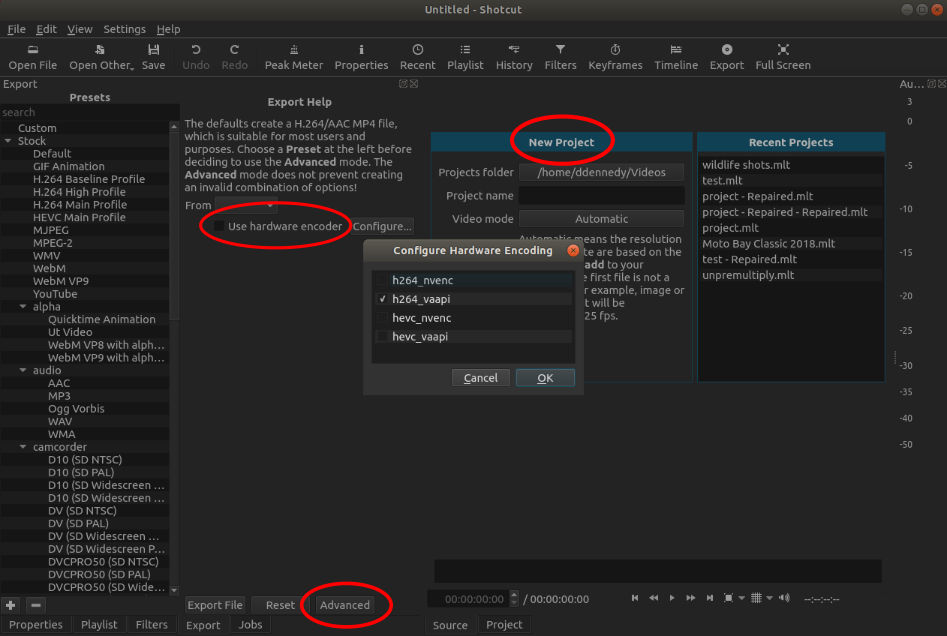
This version brings hardware encoding to macOS and VA-API encoding for Linux. Meanwhile, the experimental GPU Effects mode, which was always unstable and unsupported is made a truly advanced option by hiding it. Now, one can only enable it by manually changing the configuration file/registry. To make things easier a New Project screen was added, most Export options are hidden behind an Advanced button, hardware encoding gets a checkbox, and a signed macOS build is provided.
Additional information about the new features is available here.
New
- Added an Advanced mode to Export.
- Added Use hardware encoder checkbox to Export.
- Added VA-API hardware encoding for Linux.
- Added videotoolbox hardware encoding for macOS.
- Added New Project / Recent Projects screen.
- Added 10 Pixel Grid and 20 Pixel Grid options to the player grid button menu.
- Added Spot Remover video filter.
- Added View > Scopes > Video Waveform.
- Added Settings > Video Mode > Non-Broadcast > Square 1080p 30 fps and 60 fps.
- Added Ut Video presets to Export.
- Added signed app bundle for macOS.
Fixes
- Fixed support for macOS 10.10 and 10.11.
- Fixed clearing export preset search collapses categories.
- Fixed searching export presets in categories.
- Fixed initial rectangle size for Size and Position filter.
- Fixed reopening Timeline changes zoom level.
- Fixed exit sometimes hangs.
- Fixed some filters’ presets do not save any values:
- Key Spill: Advanced
- Chroma Key: Advanced
- Reduce Noise
- Fixed A/V synchronization on some files.
- Fixed seeking on audio files with album art.
- Fixed saving multiple lines of text in preset for Text generator.
- Fixed crash when undoing split and transition on Timeline.
- Fixed filters not applied correctly when using Export > From > Each Playlist Item.
- Improved reliability of Audio/Video Device capture.
- Fixed Color generator did not signal colorspace.
- Fixed transfer characteristic conversion and full range output in Export.
(Addmlt_image_format=rgb24,color_range=jpeg, andpix_fmt=yuvj420pin Other for full range output.)
Changes
- Made GPU Effects hidden and discouraged.
- Added support for project folder to Stabilize and Overlay HTML filters.
- Increased Scale maximum to 500% for Rotate and Scale filter.
- Improved support for DDS, ICO, and WebP images.
- Bundle more library dependencies on Linux.
- Converted macOS build to standard app bundle layout.
New Version 18.10 with Grid and Snapping
Version 18.10 is now available for DOWNLOAD!
This release is packed with fixes and improvements in many areas!
New Features!
- Added support for Intel Quick Sync Video hardware-accelerated video encoders to the Windows build (in Export > Codec choose h264_qsv or hevc_qsv).
- Added Grid and Safe Area overlays with a toggle/menu button to the player.
- Added snapping to the grid and safe areas for the VUI rectangle control as used by Text, Size and Position, and more filters.
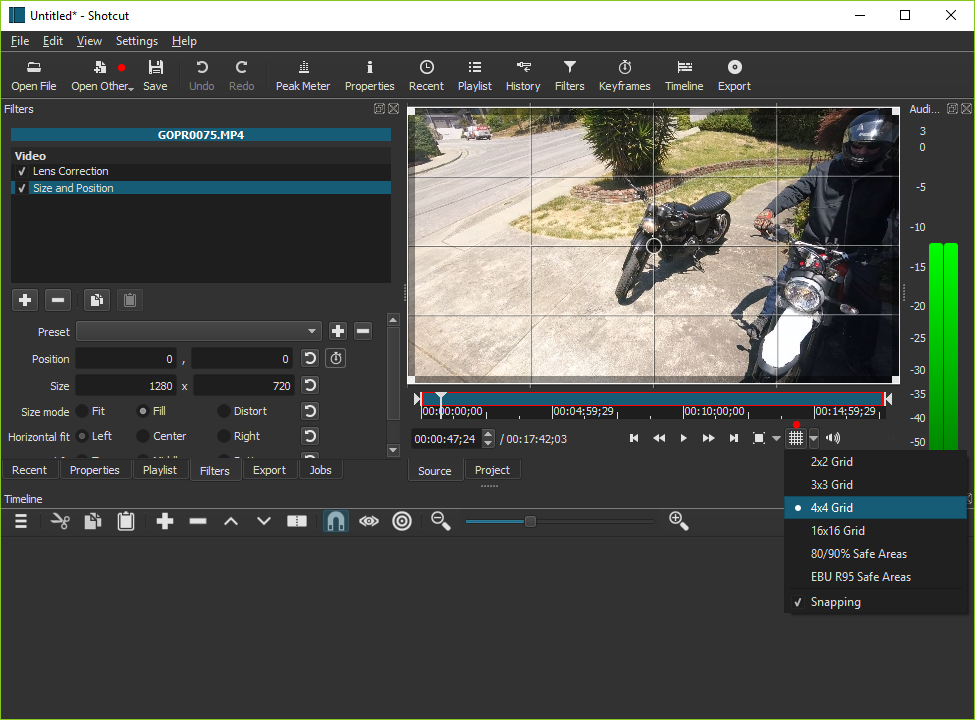
- Added Open Other to the main toolbar with a drop-down menu.
- Added the ability to drag-n-drop folders from a file manager into Shotcut.
- Added the ability to supply multiple file and folder name arguments to the shotcut command line executable.
- Added the ability to make a temporary Custom Video Mode (leave Name blank).
- Added Settings > Video Mode > Custom > Remove….
- Added View > Layout > Remove….
- Added Settings > Clear Recent on Exit checkbox to prevent saving data on a shared computer account.
- Added command line option
--clear-recentto enable Clear Recent on Exit and hide that option in the Settings menu. - Added a dialog when you click to check for an update that asks if you want to check for update automatically (at startup only) with the option to suppress the dialog indefinitely.
Fixes
- Fixed audio preview distortion on Windows (regression in v18.09).
- Fixed some AAC MP4 files start in the middle.
- Fixed un-mute a track may not draw its waveforms.
- Fixed whitespace in Text filter removed in Export.
- Fixed crash adding clip to Timeline after removing all tracks.
- Fixed simple keyframes go missing or not all the way to 00:00.
- Fixed switching from simple to advanced keyframes in Text, Rotate and Scale, Timer, and Size and Position filters.
- Fixed a possible crash when adding a transition by trimming.
- Fixed crash on macOS after the app restarts itself when some Settings are changed.
- Fixed moving a clip to the left where the right edge is not a blank.
- Fixed some Timeline actions do not work correctly after a Ripple move.
- Fixed undo/redo form trim-to-transition over a blank/gap.
- Fixed Ripple moving a clip to the end of a track was not extending the hidden black background.
- Hide the Text generator if Settings > GPU Effects is on (incompatible).
- Fixed the Rotate and Scale filter preset not saving keyframes for the Scale parameter.
- Fixed a crash opening multiple files at once either through File > Open or drag-n-drop from a file manager.
- Fixed a crash closing a playlist-only project with Automatic Video Mode.
- Fixed changing position or removing advanced keyframes for the Scale parameter of the Rotate and Scale filter distorting the aspect ratio of the image.
- Fixed Timeline > Split not working if the current track is empty. (It should split the topmost clip under the playhead.)
- Fixed clicking the reset button of the Center checkbox of the Crop filter does not re-enable the other controls.
- Fixed the Timeline and Keyframes timeline rulers are incorrect after changing Settings > Video Mode.
- Fixed a crash when the project frame rate is very low (< 6 fps).
- Fixed a crash when switching keyframes on and off for position and size parameters in video filter such as Size and Position, Text, and Timer.
- Fixed trimming multiple track filters hides them.
- Fixed making a Text preset does not save the text (only all other parameters).
Changes and Improvements
- Changed resolution restriction from a multiple of 8 to a multiple of 2.
- Improved the layout of the filter chooser in Filters.
- Changed Timeline fade controls to behave the same as Keyframes simple keyframes.
- Changed the Noise generator from opening as a live source to a clip with a duration.
- Changed drag-n-drop to Playlist to not automatically open the first file unless the project is empty.
- Changed the Rotation parameter of the Mask filter to use degrees, and fixed its reset button.
- Added more library dependencies to the Linux portable tar, AppImage, and snap builds including the SWH LADSPA plugins.
- The minimum macOS version has changed to 10.12.
New Release 18.09: More Better Faster
Version 18.09 is now available for DOWNLOAD!
UPDATE: Version 18.09 has been re-released (build 18.09.16) to fix major new bugs with the Rotate and Scale, Size and Position, Text, Chroma Key, Key Spill, and White Balance filters.
This release is packed with fixes and improvements in many areas!
More
Timeline
- Added Ripple support for moving clips including Ripple All Tracks.
- When Ripple is on and you move a clip to the right, it now ripples (pushes) all the clips to the right instead of making a transition (including the Ripple All Tracks option).
- Added Ctrl+R keyboard shortcut to toggle Timeline Ripple,
Ctrl+Alt+R to toggle Ripple All Tracks, and
Ctrl+Shift+R to toggle both. - Improved Snapping behavior on the Timeline.
- Added Ctrl+P keyboard shortcut to toggle Snapping.
- Added Reset Track Height (Ctrl+0) to the Timeline menu.
Filters
- Added a Timer video filter.
- Added support for negative rotation to the Rotate and Scale filter.
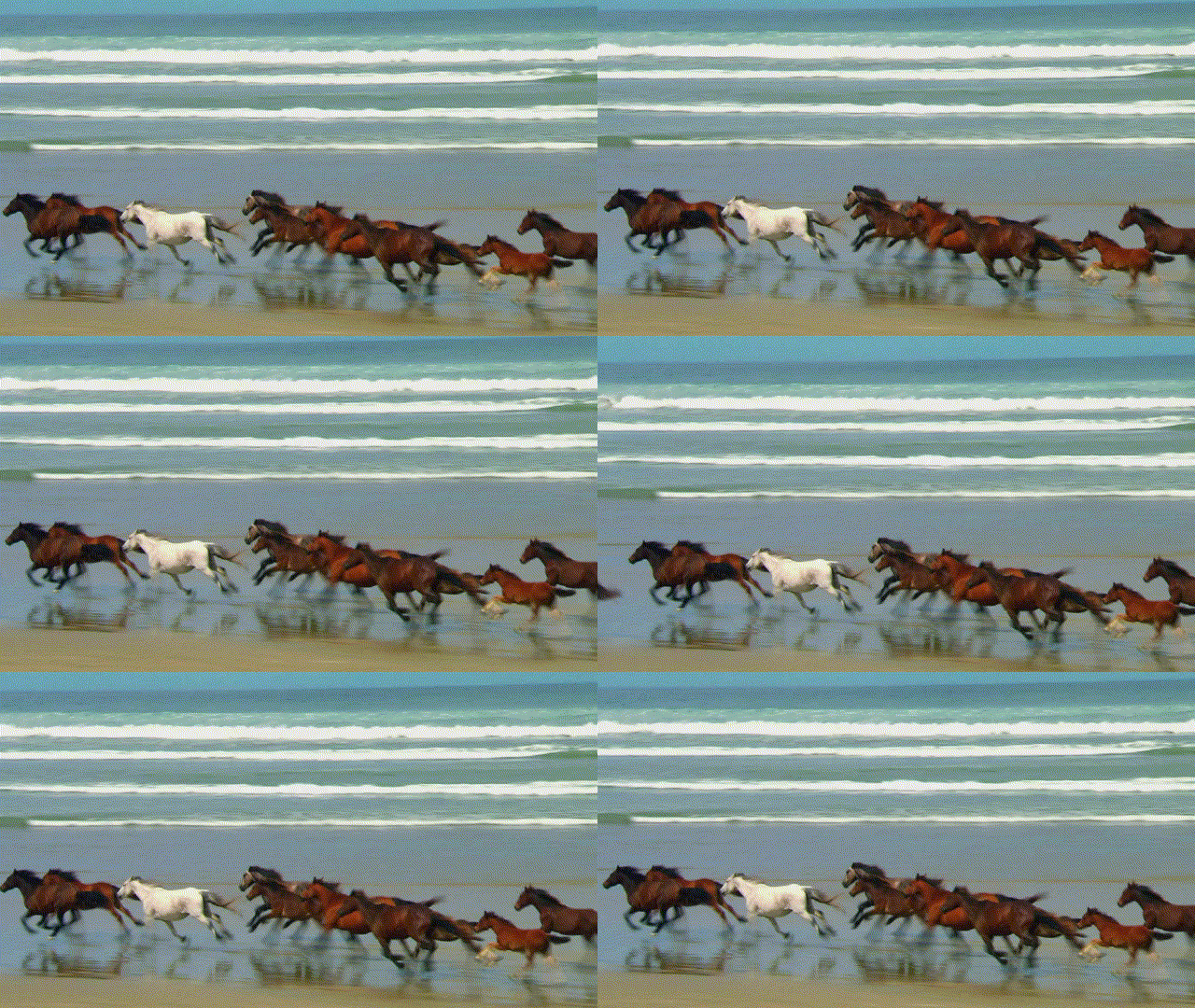
- Added Shake 1 Second - Scaled and Shake 1 Second - Unscaled presets
to the Size and Position filter.
Other
- Added a Text clip to the Open Other dialog.
This is a convenience item that creates a transparent Color clip with a Text filter. - Added Extract Sub-clip to Properties menu for audio/video clip.
- Added Export presets for WebM VP8 and VP9 with alpha channel.
Better
Stability Fixes
- Fixed a crash when quickly changing clip selections in the Timeline.
- Improved closing Shotcut more reliably and the behavior of multiple shotcut processes.
- Fixed Undo beyond Remove Track may crash.
- Fixed a crash when moving a clip after undoing a transition.
- Fixed a crash loading project after some sequence of inserting and removing tracks.
- Fixed a crash loading an image with the wrong filename extension.
- Fixed OS audio device changes may cause Shotcut to hang.
- Fixed crash dragging simple keyframes beyond the edges of the clip.
- The 32-bit Windows build can use more memory to reduce risk of crash:
3 GiB on 32-bit Windows and 4 GiB on 64-bit Windows. - Fixed a crash applying an image transform filter to an image with alpha channel (PNG, SVG).
Bug Fixes
- Improved behavior of opening WebP images.
- Fixed advanced keyframes for the Size and Position filter.
- Fixed inserted and then hidden video tracks become audio tracks after re-opening the project.
- Fixed changing Video Mode from Automatic to something else with nothing opened.
- Fixed moving a transition to another track leaves a hidden clip on the old track.
- Fixed trimming the out point of a timeline clip may change the in point of the following clip.
- Fixed Properties > Speed, Convert, Reverse, and More Information does not work sometimes after reloading a project.
- Fixed reliability of changing size and position fields with keyframes in Size and Position and Text filters.
- Fixed trimming outward with Ripple All Tracks moved clips on other tracks in the wrong direction.
- Fixed audio waveforms still appear on muted tracks after adding a track.
- Fixed dragging clips to the Timeline stops working.
Image Fidelity
- Fixed edges of text with the Text filter may get cut off (clipped).
- Fixed Size and Position and Rotate and Scale filters may leave black right and bottom edge of frame.
- Fixed trimming a timeline clip with Fade In/Out Video filters with “Adjust opacity instead of fade with black” enabled.
- Fixed Export may change the actual frame rate and cause timing errors.
- Fixed reducing the Frame/sec in Export causes timing errors in the output.
- Fixed image scaling interpolation method when not using a transform filter.
Changes
- Removed the Compositing toggle icon from the Timeline track head. Now, it is located in the track Properties as Blend mode with a None option.
- In the 3D Text filter, replaced the Droid fonts with Liberation due to an incompatible license.
Faster
Well, to be honest, there is not much speed improvement. Most of the improvement comes from a fix to prevent an incomplete shutdown. In the case of the 32-bit Windows build, since more memory can be accessed now, we have removed some of (not all) multi-threading limits.
- Improved the performance of changing filter parameters and scrubbing.
- Limit the number of background thumbnail and waveform generation threads to 4.
- Prevent trying to generate audio levels for waveforms for still images and other silent sources.
New Release 18.08.14
Version 18.08.14 is now available for DOWNLOAD!
Unfortunately, the previous release 18.08.11 introduced a major regression that can corrupt project files if your project has clips where you had changed Speed in Properties. If you have a project file that no longer loads, you can fix it in a simple text editor:
- Open the .mlt file in a text editor (notepad.exe not recommended)
- Locate every line with
<property name="shotcut:comment">. - If the text that follows it on the same line before
</property>is incorrect or has strange characters, remove the text between the property tags. The line should now look like
<property name="shotcut:comment"></property>. - Save the file with a new name that ends with .mlt
- Try to load the repaired XML file.
Search
Recent Posts
- Posted on 01 Aug 2026
- Posted on 25 Jun 2026
- Posted on 29 Apr 2026
- Posted on 26 Feb 2026