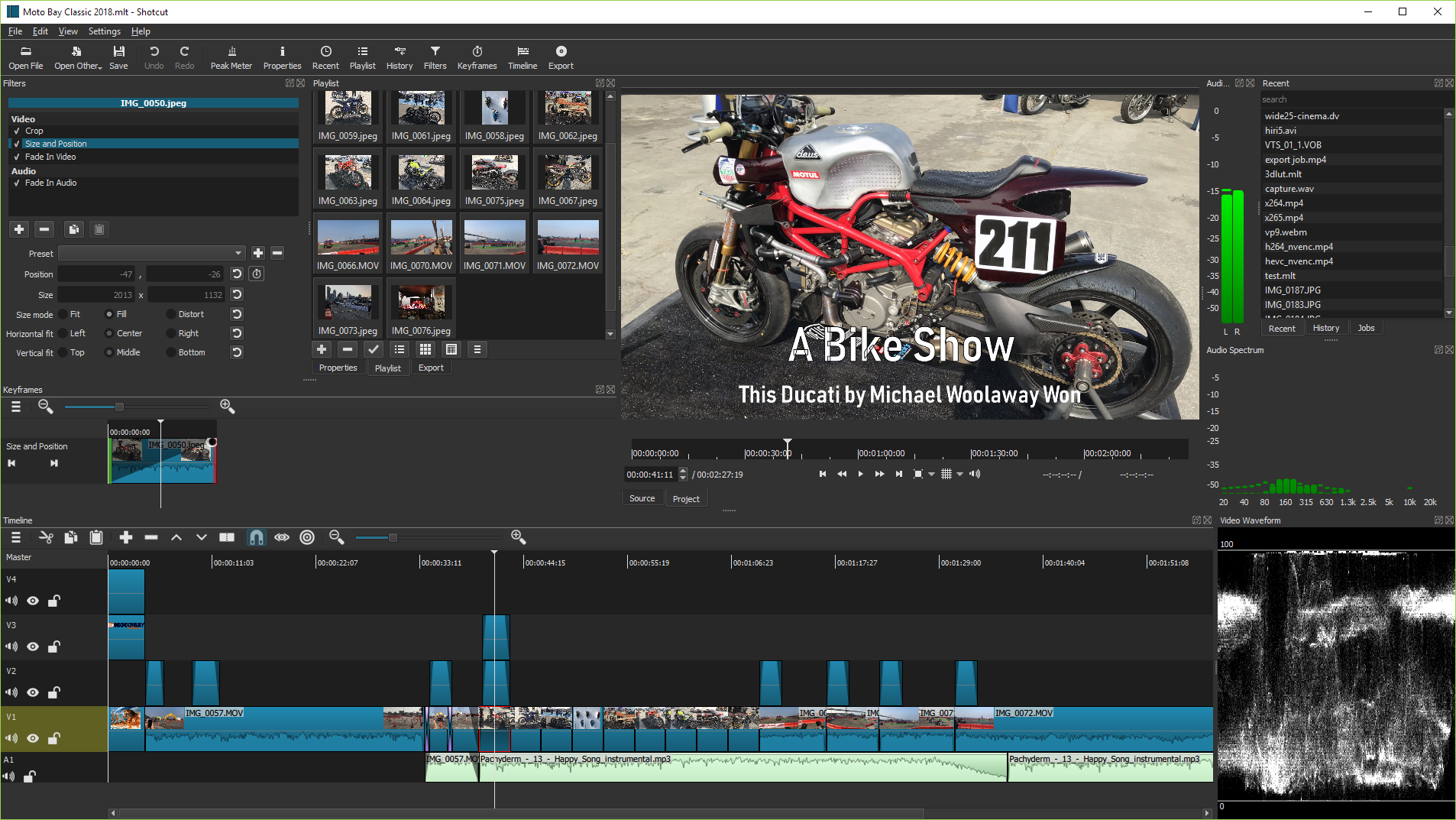
Supports hundreds of audio and video formats and codecs thanks to FFmpeg. No import required which means native editing, plus multi-format timelines, resolutions and frame-rates within a project. Frame accurate seeking supported for many video formats.
Blackmagic Design SDI and HDMI for input and preview monitoring. Screen, webcam and audio capture. Network stream playback. Supports resolutions up to 4k and capture from SDI, HDMI, webcam, JACK & Pulse audio, IP stream, X11 screen and Windows DirectShow devices.
Multiple dockable and undockable panels, including detailed media properties, recent files with search, playlist with thumbnail view, filter panel, history view, encoding panel, jobs queue, and melted server and playlist. Also supports drag-n-drop of assets from file manager.
New Version 24.02: Go Where You Wanna Go
New Version 24.01: Round and Round
New Version 23.12: Fight the Good Fight
New Version 23.11: Easing for Keyframes
New Version 23.07: Never Say Never
Shotcut was originally conceived in November, 2004 by Charlie Yates, an MLT co-founder and the original lead developer (see the original website). The current version of Shotcut is a complete rewrite by Dan Dennedy, another MLT co-founder and its current lead. Dan wanted to create a new editor based on MLT and he chose to reuse the Shotcut name since he liked it so much. He wanted to make something to exercise the new cross-platform capabilities of MLT especially in conjunction with the WebVfx and Movit plugins.
Lead Developer of Shotcut and MLT